An emulator
Your game
A program imitating a console
Apple chip
Something has to imitate the console for as long as you play.
FREE PLAY
COINS 00
Free · Open source · For Mac
Add a game you own, press one button, and play it as a real app. Not an emulator: the game's own code runs directly on the Apple chip.
No account, no ads, no terminal. Needs a Mac with Apple silicon and macOS 26.6 or later.
No emulator No account No ads No terminal
Something has to imitate the console for as long as you play.
The game's own code runs on the chip, changed only where Apple's system requires it. A small host answers the game's system calls, and its NVN, Vulkan and OpenGL graphics are drawn through Metal.
Stage 1
Drag them into the window. They stay on your Mac: nothing is uploaded anywhere.
Drag and drop
Stage 2
It checks your Mac, installs the free tools it needs and builds the game. A first build takes 30 to 60 minutes.
30–60 min
Stage 3
It installs the game on your iPhone over a cable, or makes an app you open on your Mac. It then runs without the Mac's help.
Cable or Mac app
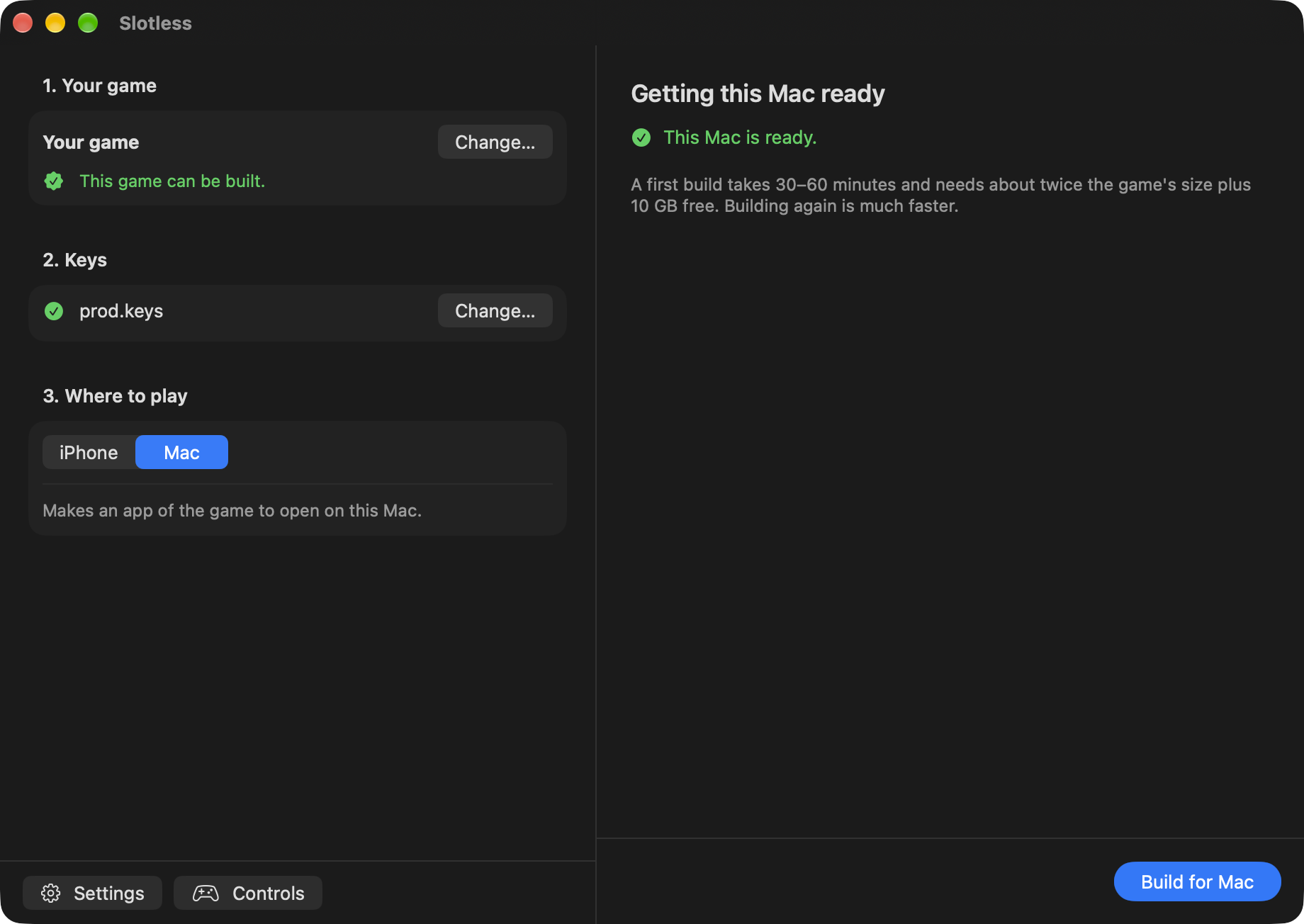
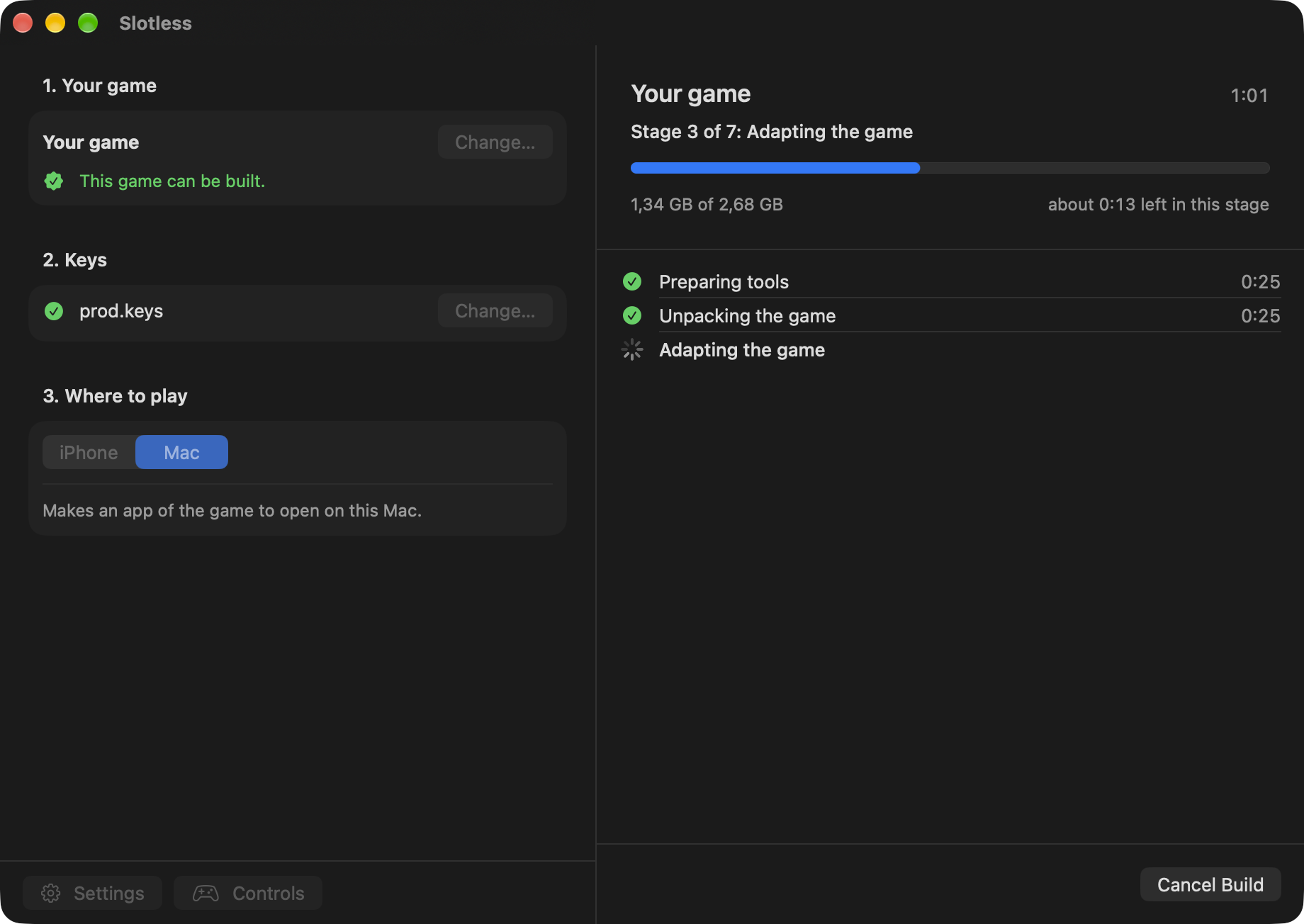
Real windows of the app. The game name, sizes and times in them are an example.
Better to know now than after an hour of waiting.
Use a controller, a keyboard you can remap, or touch buttons you can move, resize and hide. A controller is recommended on the iPhone.
Drag the buttons, change their size, or hide them. It works like this inside a game on the iPhone.
The simple mode asks only three things. Commands and logs stay hidden until you ask for them.
After a build the app offers what it no longer needs. It goes to the Trash, and only if you say so.
The app speaks English and Russian, and you can switch at any time.
Yes, all of it. Anyone who wants to may say thanks with a donation, but nothing depends on it.
No. There are no games or keys in the app, on this site or in the project, and we do not link to any. You need your own.
No. This is an independent project, not affiliated with or endorsed by Nintendo or Apple. Check what your country allows for copies of your own games.
The app is not notarized by Apple. To open it the first time, go to System Settings, then Privacy & Security, and press Open Anyway. The source code is public, so anyone can check what it does.
That is Apple's limit for apps signed with a free Apple ID. Connect the iPhone and press Reinstall in the app. A paid developer account lasts a year.
Over 120 games are tested, but some have limits, and others may not start at all. Smaller games are the safest first try on an iPhone. See the list of games
They stay on your Mac. The app downloads its own components from GitHub and developer tools from their usual sources, and uploads nothing of yours.
INSERT COIN
If this saved your evening, you can support the work with a donation of any size. It stays free either way.
This coin is a toy and no money moves. The real ways to donate are the buttons here.